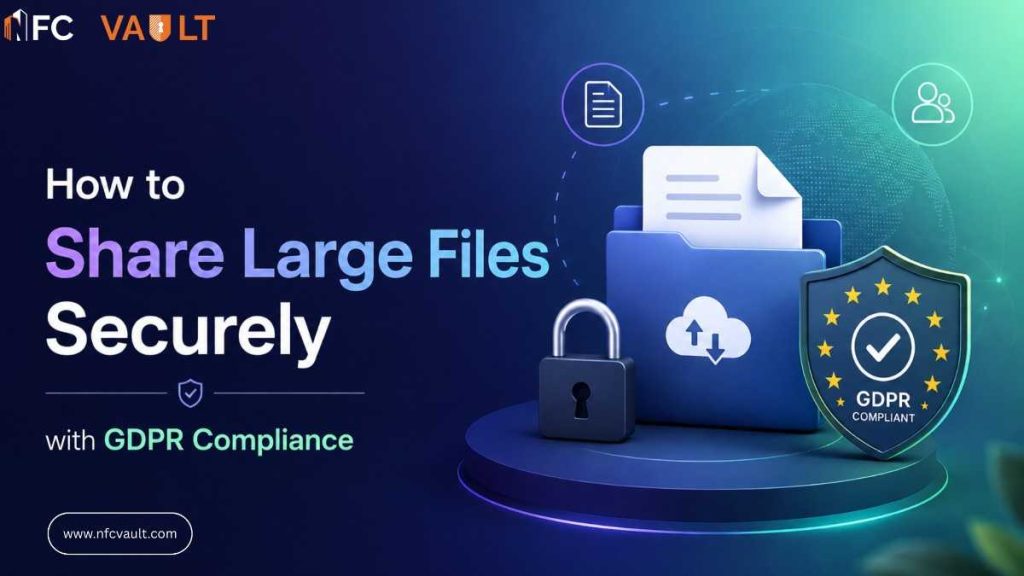
Every business, at some point, runs into the same wall you have a large file that needs to get to the right people, fast, without putting your data or your compliance standing at risk. Whether it’s a 2GB design package, a bulk client database, or a set of confidential legal documents, the challenge is always the same: how do you share it securely without cutting corners on GDPR?
Most teams default to whatever tool is already installed email attachments, shared drives, or a quick link thrown into a chat. These habits are understandable, but they’re also how data breaches happen. And under GDPR, a breach isn’t just an IT problem. It’s a legal one.
This guide breaks down what it actually takes to share large files in a way that’s both secure and fully compliant and why the right platform makes all the difference.
Why Large File Sharing Is a GDPR Risk You Can’t Ignore
GDPR doesn’t just regulate what data you collect it governs how you store, access, and transfer it. When you share a large file containing personal data (client records, employee information, or financial reports), you’re triggering several GDPR obligations at once:
- Data minimization — only the people who need access should have it
- Integrity and confidentiality — data must be protected against unauthorized access or accidental loss
- Accountability — you must be able to demonstrate how and when data was shared
A generic file-sharing link sent over email satisfies none of these. There’s no access control, no audit trail, and no expiry. If that link gets forwarded or intercepted, you have a potential breach on your hands — and under GDPR, you have 72 hours to report it.
The Problem with Traditional File Sharing Methods
Let’s be honest about the tools most teams are still using:
- Email attachments cap out at a few MB and leave copies of your file sitting in multiple inboxes indefinitely. You lose all control the moment you hit send.
- USB drives are a physical security risk. They get lost, stolen, or simply forgotten in a laptop bag. There’s no encryption, no audit log, and no way to remotely revoke access.
- Public cloud links (Google Drive, WeTransfer, etc.) are convenient but expose files to anyone with the URL. Most don’t offer granular permission controls or GDPR-compatible data residency options.
- SharePoint and OneDrive are better, but they come with their own headaches — complex setup, poor offline functionality, mandatory cloud migration, and limited GDPR enforcement tooling out of the box.
What Secure, GDPR-Compliant File Sharing Actually Requires
Before choosing a platform or method, understand what “secure and compliant” actually means in practice. Here’s what you need:
1. End-to-End Encryption
Files should be encrypted both in transit and at rest. This means even if someone intercepts the data mid-transfer, they get nothing usable. Look for AES-256 encryption as a baseline.
2. Role-Based Access Control (RBAC)
Not everyone needs access to everything. A compliant file-sharing system lets you define who can view, download, edit, or share a file and restrict everything else. This directly supports GDPR’s data minimization principle.
3. Audit Trails
You need a complete, timestamped log of who accessed which file, when, and from where. This isn’t optional under GDPR — it’s how you demonstrate accountability if you’re ever audited or investigated.
4. Auto-Expiring Links and Revocable Access
Shared links should have expiry dates, and you should be able to revoke access instantly. Permanent links are a liability. A file shared for a project three years ago shouldn’t still be accessible today.
5. Data Residency Control
GDPR requires that personal data about EU citizens be stored and processed within the EU (or in countries with adequate data protection laws). Your file-sharing solution must give you control over where your data physically lives.
6. Two-Factor Authentication (2FA)
Anyone accessing shared files — especially sensitive ones — should have to verify their identity with a second factor. This dramatically reduces the risk of unauthorized access from compromised credentials.
How NFC Vault Solves This End-to-End
NFC Vault is built specifically for businesses that need more than a basic file-sharing tool. It combines enterprise-grade security with GDPR compliance controls and practical flexibility — including hybrid deployment for organizations that aren’t ready for full cloud migration.
Seamless Azure Integration — Without Forced Migration
Many businesses already use Azure infrastructure. NFC Vault integrates directly with your existing Azure environment, letting you share and store files securely without rebuilding your systems from scratch. There’s no vendor lock-in and no pressure to migrate everything to a new ecosystem.
Offline Access with Full Encryption
Remote teams, field workers, and employees in low-connectivity areas can’t afford to lose access because the internet went down. NFC Vault offers encrypted offline access — your files are available when you need them, and security doesn’t take a break just because the connection does.
Built-In GDPR Controls
This is where NFC Vault genuinely differentiates itself. Rather than bolting compliance on as an afterthought, it’s woven into the platform’s core. You get:
- Role-based access controls to enforce the least-privilege principle
- Full audit trails for every file interaction
- Version control and document retention policies to manage the data lifecycle
- Configurable data residency to keep EU data in the EU
Advanced Security as Standard
Two-factor authentication, encrypted sharing links, and automatic link expiry come built in. These aren’t premium add-ons — they’re the baseline. Every file shared through NFC Vault is protected by default.
Scales with Your Business
Whether you’re a 10-person team or a 5,000-person enterprise, the platform scales without forcing you to upgrade plans, buy add-ons, or retrain your staff. The architecture is designed to handle large file sharing at enterprise scale with 99.995% uptime — because the moment compliance-critical systems go down, you have a problem.
Practical Steps to Start Sharing Files Securely Today
Even before you implement a dedicated platform, there are immediate steps you can take:
- Audit your current file-sharing habits: identify where sensitive files are being shared through uncontrolled channels
- Stop using public links for sensitive documents: replace them with access-controlled shares
- Enable 2FA on every tool that supports it: immediately reduces unauthorized access risk
- Define retention policies: decide how long shared files should remain accessible and build in automatic cleanup
- Map your data residency: know where files containing personal data are physically stored and whether it’s GDPR-compliant
- Migrate to a purpose-built platform: tools like NFC Vault replace the patchwork of email attachments, USB drives, and generic cloud links with a single compliant system
Request a Demo
Final Thought
GDPR compliance in file sharing isn’t a checkbox exercise it’s an ongoing operational discipline. Every time a file containing personal data leaves your control without proper safeguards, you’re taking on legal and reputational risk.
The good news is that secure, compliant large file sharing doesn’t have to be complicated or expensive. With the right platform, it becomes the default, not the exception. NFC Vault is built to make that shift as frictionless as possible, whether you’re running fully on-premises, on Azure, or somewhere in between.
If your current file-sharing setup would struggle to answer “who accessed what and when,” it’s time to rethink the approach.