
Experience next-level digital storage with NFC Vault — where your data stays safe, accessible, and lightning-fast.
Learn More →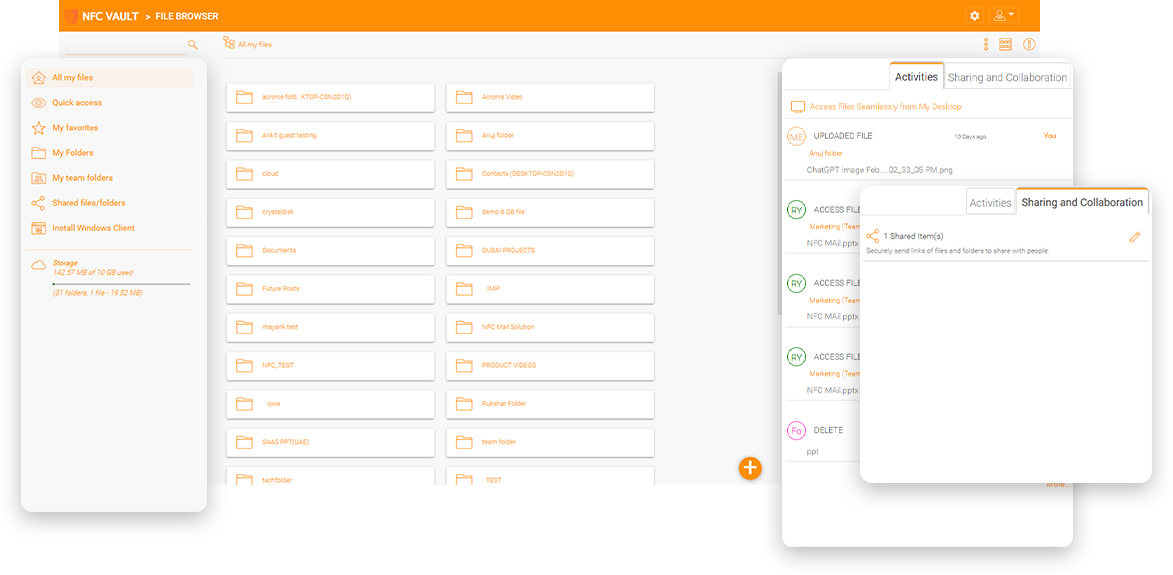
An architectural firm in Copenhagen, Denmark, has 3 locations at Denmark and Norway. The file server is currently on site with 7TB of data, but they want to get rid of the file server. There are no official communication channels between the 3 sites, so using a cloud solution to unify the 3 sites makes sense.
They experimented with SharePoint and OneDrive. At first it was good because the integration of OneDrive Windows Explorer makes it easy to access files and folders from SharePoint. Later, however, they ran into problems with the AutoCAD application. One problem is related to file locking, the other to external references within a single file. This is not a SharePoint/OneDrive issue, but rather an application compatibility issue between the CAD and SharePoint applications.

A design firm specializing in museum design uses a mix of CAD applications and Adobe Creative Suite. There are Mac users. Mac has certain characters in the file name that SharePoint does not support. Also, the Mac file path could be much longer than 256 or the current SharePoint limitation. You have tried SharePoint in the past but it did not work.
An MSP is helping a local customer migrate a local NAS to SharePoint and runs into SharePoint limitations 1. The company was trying to migrate more than 700,000 files from a Synology NAS to SharePoint Online to leverage its Office 365 subscription.
"Do you want to divide and reorganize the original repository of 700,000 individual files into seven different SharePoint libraries? What about the cost of retraining staff to get used to the new SharePoint online locations?"
5,000 item - Having a large number of objects in a document library degrades performance to the point where it becomes unusable.
300,000 item - This limits the number of documents users can sync using OneDrive sync client. Performance starts to degrade.
400 Character URL Limit - The URL path for all files and folders can be no more than 400 characters (and no more than 400 characters for a single file or folder name in the URL).
From experience, performance starts to drop after 100,000 items. Whether it's 300,000 or 100,000, in many real-world enterprise environments with more files, the OneDrive sync client has serious performance issues, forcing users to switch to the Web interface.
Compared to the OneDrive sync limitation, the 5,000 view item limit in a library is even stricter. The moment you exceed 5,000 items in a library, it becomes almost unusable.
This limit is a common problem when migrating file shares to SharePoint Online. The migration fails for any files that don't meet this requirement. Since this is the upper limit for the relative URL containing the entire path and name of the document library, this happens frequently, resulting in incomplete migrations.
An even more stringent limit is the 256-character limit on Windows PCs when users sync SharePoint Online libraries. Users encounter error messages like: "The file name(s) would be too long for the destination folder."
Reorganizing permissions becomes a major headache with large datasets. While SharePoint supports removing permissions inheritance, this only works for relatively small data sets. With over 100,000 items, you can't break permissions inheritance on the containeri, though you can on individual items. This turns permissions management into a data reorganization nightmare to avoid manually overriding inheritance for thousands of items.
Lift-and-Shift is a migration strategy that creates another set of virtual machines in Azure, AWS, or a regional co-location data center and moves the data on the on-premises file server to the virtual machines in the data centers. Once the data migration is complete, the DNS name for the file server can be quickly switched from the on-premises file server to the file server in the cloud.
In this type of procedure, lift-and-shift is also known as rehosting. It is a relatively fast and cost-effective way to migrate data from on-premises to the cloud, and the best part is that it is backward compatible after DNS redirection.

Lift-and-shift is easier when the Internet in the office is fast. Therefore, a site-to-site VPN between the office firewall and the cloud virtual network acts like part of the local network.
The hybrid cloud file server is a good balance between the local file server and the cloud file server, so employees in the local office can still use the file server over a local network.
A mapped drive over the HTTPS channel to the corporate file server is an important feature. Employees are familiar with a mapped drive and no additional training is required.
Most file sharing solutions provide manual file locking in the form of "check in" and "check out". NFC Vault provides automatic file locking by detecting requests to open files. When Microsoft Word opens a file, file locking is automatically initiated and automatically terminated when file processing is complete.
Enterprise users already have enterprise identities in Active Directory and the associated Active Directory federated service and SAML single sign-on. They do not need additional credentials to access a file sharing solution.
Finally, integration with Active Directory and NTFS permissions makes it easier for system administrators to set up permission control. The permissions features set Gladinet's solution apart from the competition.
Drive mapping is an important feature for online file access. End users can easily drag and drop files and folders from a mapped drive over the Internet. Drive mapping also helps manage external file references.
File locking is an important feature for online file access and team collaboration to avoid conflicts. End users need to control global concurrent online file access by using file locking to maintain consistency.
From Active Directory identities to NTFS file permissions and folder protection, all the things an employee is familiar with remain as if nothing has changed. Similar and consistent user interface approach minimizes the user learning curve.

Shared folders have optional secure data room features to enable view-only permissions that disable downloads.
The destination email domain is one of the white list parameters that control who can receive file-sharing invitations.
Define different permissions for folders at different levels of the directory structure.
The destination IP Address is another parameter to control who can be the receiver for a file-sharing action.
A traditional VPN requires a stable and active connection to the corporate firewall to function. A disruption in the Internet or an interrupted connection to the firewall interrupts employees' work with unsaved files. With offline editing, remote workers can save and edit documents without an active connection and save the files asynchronously to a corporate file server once the connection is restored.
A firewall vendor typically offers VPN without an always-on feature. Always-on VPN requires more infrastructure components such as identity servers, authentication servers, compatible clients OS, etc. However, most modern cloud applications are always-on, allowing offline access to files and folders and storing files on a local device before synchronizing them with online servers.
Accessing file servers is hardly high-performance, because when a VPN serves as an enabler, file access is done via the SMB/CIFS protocol. First of all, the SMB protocol is not a data streaming protocol with many requests and responses. If we can switch to HTTP streaming for file transfer, performance will improve. Second, HTTP-based file transfer traffic can take advantage of a global content delivery network, so HTTP is faster for cross-continent transfer.
Integrates with Office365 to take advantage of built-in co-editing features.
Keep track of important changes and events in the system.
Make it easier for your teams to collaborate with customers successfully:
Instead of sending files as Outlook attachments, files and folders can be shared as links via Outlook.
Files and folders can be turned into websites and accessed from web browsers or any mobile client.
Policies such as expiration dates and read/write permissions can be attached to file sharing.
Enhance large file transfers' performance by only sending the changes that were made instead of synchronizing the entire file.
Weblinks can be generated for web browser-based upload to receive files and folders.
File-sharing can be as easy as right-click on a file from within Windows Explorer.
Our team will get back to you shortly.